pepfob.com is now IoTSQ — same device, same team, bigger mission.
IoTSQby 1SimpleConnect
Your Peplink router. One press. ALWAYS UP.
IoTSQ is a palm-sized hardware remote — built on rugged M5Stack hardware — that gives you instant, physical control of your Peplink router. No app hunting. No login dance. Press a button, it happens.
Signal Qualityfor your network.Service Qualityfor your clients.
WORKS WITH THE ECOSYSTEM YOU ALREADY RUN ·
PeplinkStarlinkT-MobileVerizonAT&TFirstNet
Why a hardware remote?
Because when you need to bounce a WAN, flip a SIM, or reboot the router in the field, opening InControl on your phone is five steps too many. IoTSQ turns your most-used router actions into physical buttons.
🎛️
One-press actions
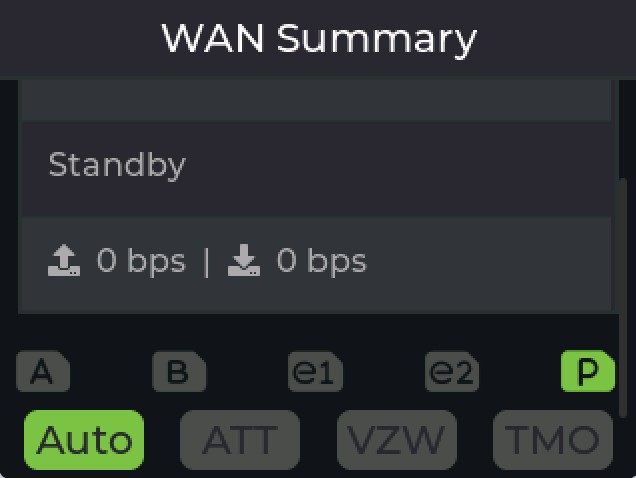
Reboot, WAN failover, SIM slot and carrier switching (Auto / AT&T / Verizon / T-Mobile presets), SpeedFusion profile changes — right from the touchscreen. Muscle memory beats menus.
📟
Real diagnostics on-screen
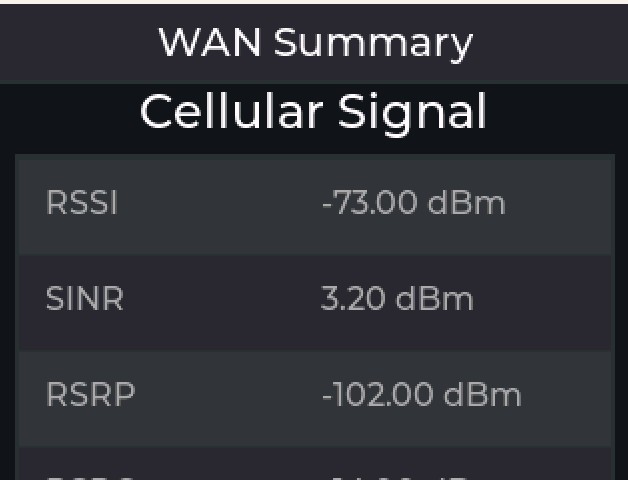
Live WAN status plus full cellular detail — RSSI, SINR, RSRP, RSRQ — and router info, without opening a browser or app.
🔧
Rugged M5Tough hardware
Built on the M5Tough — the ruggedized, glove-friendly touchscreen ESP32 platform. Tough enough for the truck, the boat, the command vehicle, or the rack shelf.
🔌
Hardened Ethernet option
Prefer wired? Hardened Ethernet models are available for fixed installs and RF-noisy environments where wireless isn't the right fit.
📦
GoBox ready
Pairs naturally with the 1SimpleConnect GoBox line — pocket control for your portable connectivity kit.
🔋
Power-loss forensics
On-board battery and real-time clock ride through outages — the fob timestamps the moment power dropped and the moment it returned, and reports both once the site is back online.
🌡️
Environmental monitoring
Optional sensor probe adds temperature, humidity, pressure, and altitude readings — charted in the cloud dashboard alongside device telemetry.
Straight off the device
Actual firmware screens, pixel for pixel — this is the UI your techs will use.
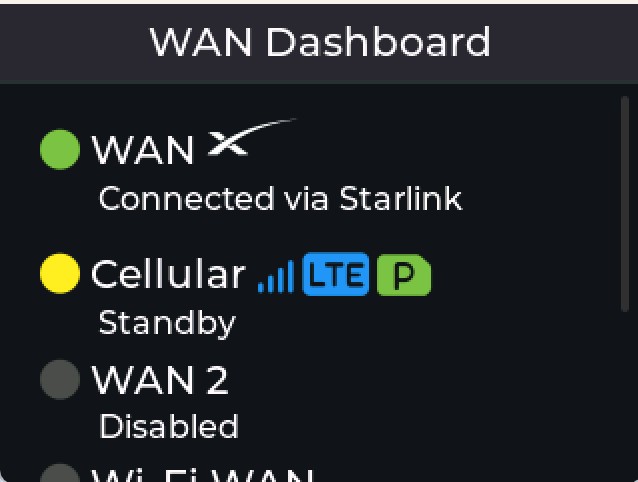
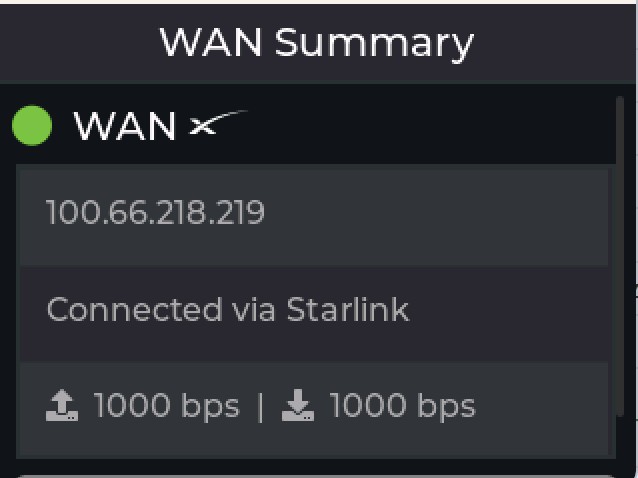
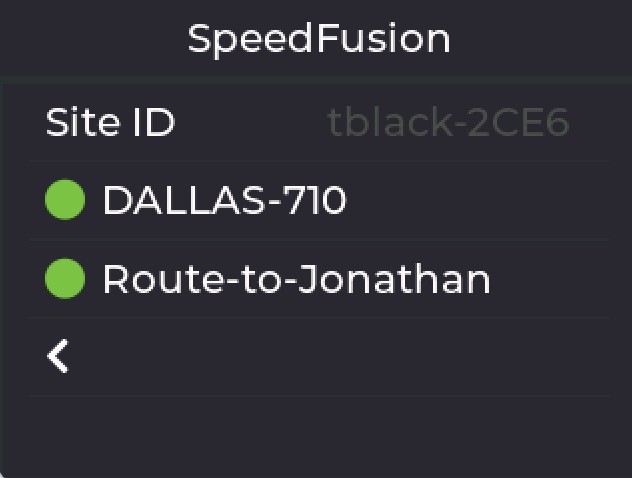
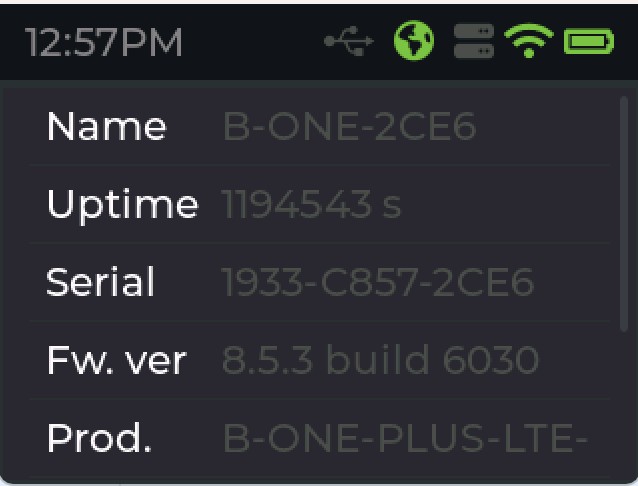
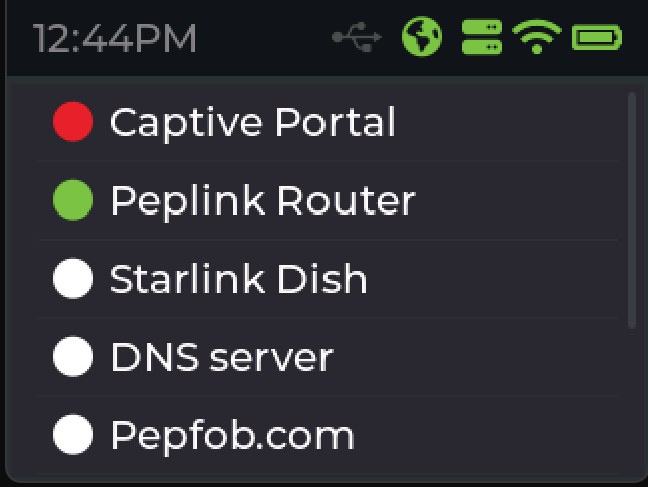
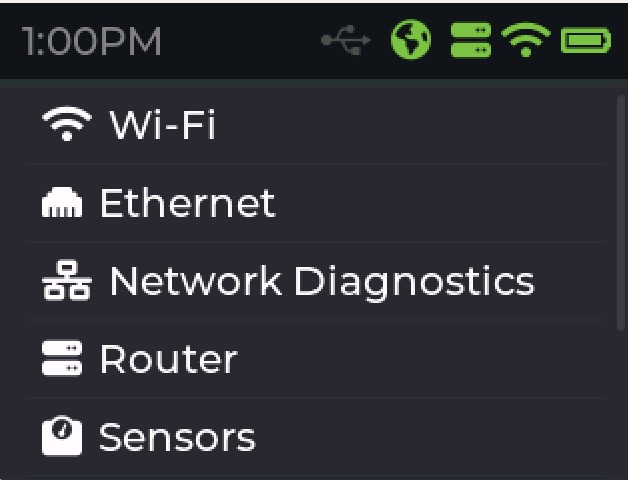
WAN dashboard — every link at a glance, Starlink includedSIM & carrier control — slots A/B/e1/e2/P, Auto/AT&T/VZW/TMO presetsFull cellular diagnostics — RSSI, SINR, RSRP, RSRQStarlink WAN summary with live throughputSpeedFusion profiles — switch bonding from your pocketRouter info — serial, firmware, uptimeConnectivity checks — captive portal, router, Starlink dish, DNSMain menu — Wi-Fi, Ethernet, diagnostics, router, sensors
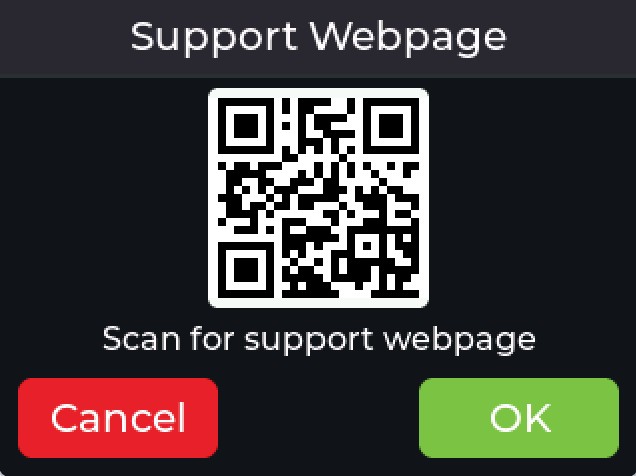
Support phone, email & webpage as scannable QR codes — right on the device
YourMSP — Client Site A
Group configuration
CompanyYourMSP, LLC
Support Emailhelp@yourmsp.com
Support Phone+1 555 010 4477
Members4
SSH KEYS ACTIVE3/5 CONFIG FILESAUDIT LOG
Set it once per group — every fob and dashboard carries your brand
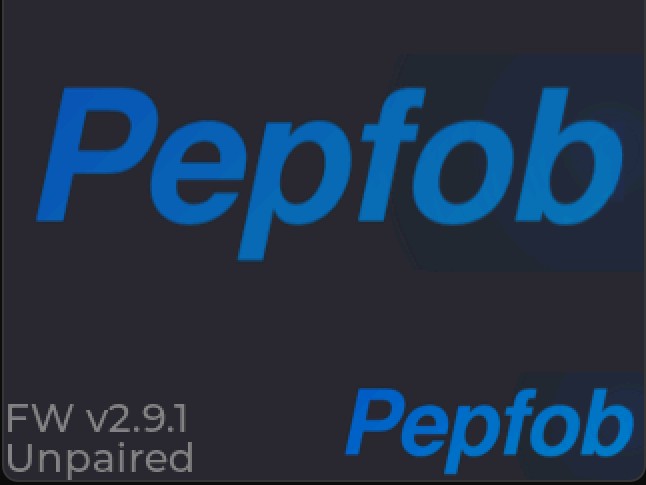
Brandable boot screen — your logo can live here
Every device, watched from the cloud
The IoTSQ dashboard keeps eyes on your whole fleet — so you know a remote site has a problem before the phone rings.
📊
Live telemetry
Temperature, battery, signal strength, uptime, and memory — charted from 15 minutes to 30 days back.
🚨
Connectivity alerts
Get flagged the moment a device goes quiet, with device event logs and a full history of every router connection attempt.
📍
Fleet management
Search and filter every fob, track firmware versions, export device data, and use Find My Device to locate hardware in the field.
Was it the router — or the power?
Every IT team knows this ticket: a site went down overnight, the router's uptime counter reset, and nobody can say why. A crashed router, a power flicker, a breaker trip, a cleaning crew unplugging the wrong cord — by morning they all look identical, because the router's logs die with the power.
IoTSQ is the black box for the site. Its internal battery and real-time clock keep it recording when everything else goes dark: the fob timestamps the exact moment power was lost and the moment it was restored, then reports both to the cloud dashboard as soon as connectivity returns. For the first time, you can separate power events from equipment failures — with evidence, not guesses.
Instant root cause See at a glance whether a reboot lines up with a power event — before you ever open a router log
Timestamps that survive Battery + RTC keep accurate time through the outage; nothing depends on the router staying up
End the finger-pointing ISP, power company, or hardware? Close the blame loop with a definitive power timeline per site
Justify the fix Real outage counts and durations per site build the case for a UPS, a generator, or a site visit
How it works
Three steps from unboxing to control.
Claim it
Power on, scan the QR code (or type the short code), and the device is claimed to your account in minutes.
Configure it
Point it at your Peplink, map your buttons in the portal, and add it to a device group — MSP group controls manage whole fleets across client sites.
Press and go
Reboot, failover, toggle — from the cab, the deck, or the rack. The cloud dashboard watches everything else.
Welcome to IoTSQ
Set up your device in minutes. Enter your device code or scan the QR code to get started.
✎ Type Code▣ Scan QR Code
Claiming a device takes minutes
Built for the field
IoTSQ was designed for people whose router lives far from a desk — the same crews 1SimpleConnect keeps connected every day.
Public Safety Command vehicles & incident scenes
Mobile & Fleet Trucks, buses, and service fleets
Marine & RV Starlink + cellular on the move
Oil, Gas & Industrial Remote sites, no IT on hand
pepfob is now IoTSQ
Same device, same Texas-based team behind 1SimpleConnect. The new name reflects where we're headed: pocket-sized control for connected hardware — Peplink first, more to come.
pepfob→IoTSQ
The SQ started as "squared" — IoT to the next power. It picked up two more meanings along the way: Signal Quality, live on every screen, and Service Quality, delivered under your brand.
Ready for one-press control?
Join the early list and be first to know when the IoTSQ remote ships under the new brand.